Showing posts with label circulation. Show all posts

Library clearance/Discharge certificate

A library Clearance/Discharge certificate certifies that the user has no holds, no active checkouts, and no outstanding debt. Here are the steps to generate a clearance certificate;

1. Enable useDischarge from Koha Administration > Global System Preferences. Search and find the useDischarge settings. Turn it into Allow.

2. Customize the Discharge notice at Tools > Notices and slips. Search and find the Discharge notice. The content of the notice is blank. Visit the Notice Template site and copy the content. Edit and save the notice.


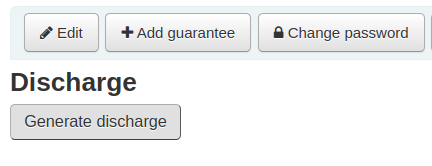
3. Open the Patron account to generate Discharge. Find the Discharge button at the end of the Patron account.


4. Click on the Generate discharge button.
The discharge certificate in PDF format will save on the computer.

Data migration: importing of check-out entries from an old version of Koha

Restoration of an old version of a corrupted database to the latest version of Koha is a challenging task. Data migration from a running instance of an old version of Koha is comparatively easy. Porting of bibliographic records to MARC format, patron details and circulation details to CSV is possible. Then it can be imported into a new version of Koha.

This tutorial discusses the various stages in exporting of check-out (issue) details from the old version of Koha into latest version.

Delete circulation entries from databse tables (DBMS auto increment)

Certain records reluctant to Checkin due to DBMS auto increment problem. In such cases, the transaction remains in the tables. Developers still working on the solution. Here is a temporary solution. I tried this steps on Koha installed on Debian 8,9 and Ubuntu 16.04 with MySQL and MariaDB Server.

Symptoms of DB increment problem

Record reluctant to check-in.

Report for date wise list of checked in books

  • Module: Circulation
  • Purpose: To generate datawise list of checked in books
  • Example: List of checked in books between 2013-07-20 to 2013-07-25
  • Status: Complete 
  • SQL Link: Click here