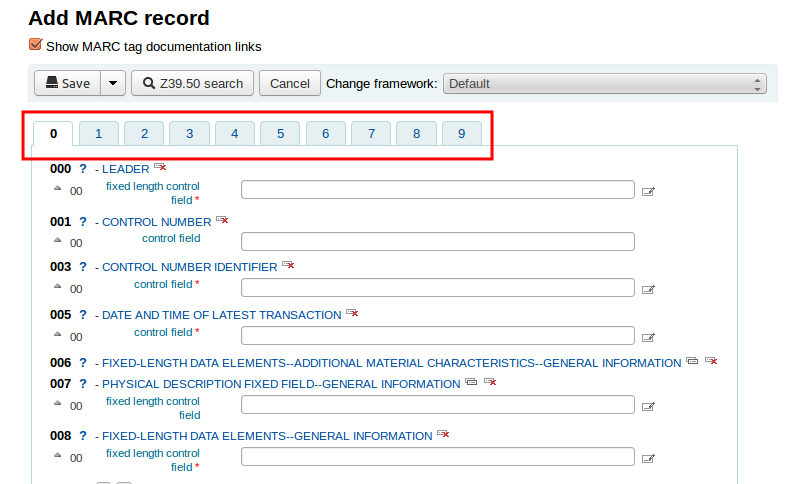
Koha cataloging using default MARC Bibliographic Frameworks is difficult due to scattered fields in various tabs. Users may feel difficult to manage with data entry fields after the installation of Koha from scratch. See the default view,

We can arrange most used fields (e.g. Author, Title etc.) in single tab. You can follow the steps to customize any available framework except Default one. Retain default framework as it is.
Click here to download the customized framework on your computer.
Go to
Koha > Administration > MARC Bibliographic Framework > BOOK Books, Booklets > Import
Upload the customized framework file.

 Check cataloging module and check the changes done.


We can arrange most used fields (e.g. Author, Title etc.) in single tab. You can follow the steps to customize any available framework except Default one. Retain default framework as it is.
Click here to download the customized framework on your computer.
Go to
Koha > Administration > MARC Bibliographic Framework > BOOK Books, Booklets > Import
Upload the customized framework file.