Showing posts with label Periodicals. Show all posts

Serials management

Serials module assist in managing subscription of journals, magazines, newspapers etc. Serials module is helpful to inventory and tracks periodicals. Library users can quickly know the availability of periodicals through OPAC.

Create a subscription
Following are the steps to create a journal subscription.
Create a Biblio
First, create a Biblio from Koha > Cataloguing.
Enter the details of the journal including ISSN, title, publisher etc. Save the Biblio. No need to save the Item information.

Manage bound volumes

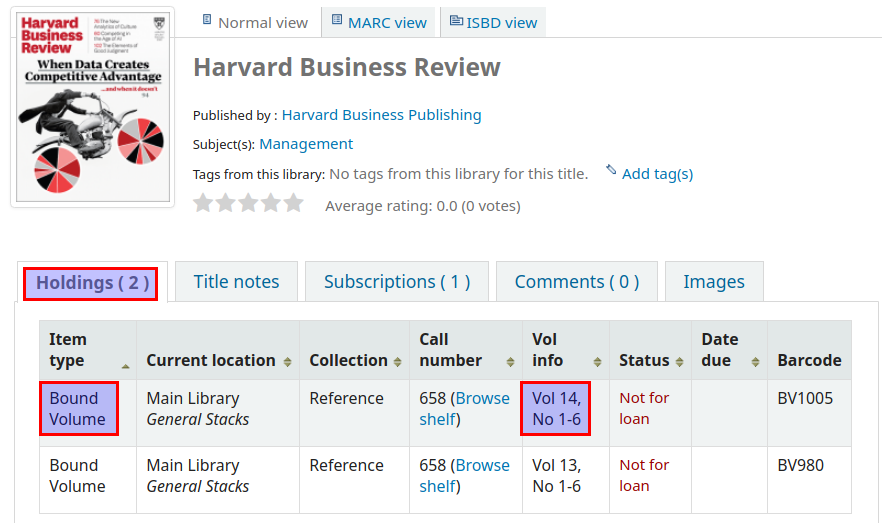
Koha can handle bound volumes of periodicals. Users can know the availability of bound volumes of periodicals along with latest and previous issues.

First, create an item type for bound volume.
Administration > Item types > New item type


Create a journal subscription first. Search and find the journal details at staff client.


Create an item for the journal bound volume.
Enter the details regarding the bound volume.

1. Enter the volume and issues contained in the bound volume.
2. The accession number of the bound volume.
3. Add the item.

See the bound volume details of the periodical at online catalogue.