
A library Clearance/Discharge certificate certifies that the user has no holds, no active checkouts, and no outstanding debt. Here are the steps to generate a clearance certificate;
1. Enable useDischarge from Koha Administration > Global System Preferences. Search and find the useDischarge settings. Turn it into Allow.

2. Customise the Discharge notice at Tools > Notices and slips. Search and find the Discharge notice. The content of the notice is blank. Visit the following page, and copy the content. Edit and save the notice. Change the image link inside the code.

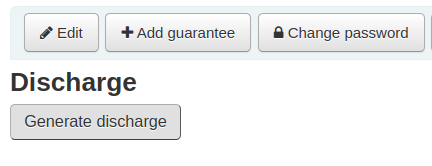
3. Open the Patron account to generate Discharge. Find the Discharge button at the end of the Patron account.

4. Click on the Generate discharge button.

No comments:
Post a Comment